teachPress
teachPress is a plugin for WordPress (3.3.0 or higher) which unites a course management system and a powerful BibTeX compatible publication management. teachPress is optimized for the needs of professorships and research groups. It’s published under the terms of GPL. Download the latest version from the wordpress plugin directory.
General features:
- Powerful BibTeX compatible publication management
- Course management with enrollment system
- XLS/CSV export for course lists
- BibTeX/RTF export for publications
- RSS feeds for publication lists
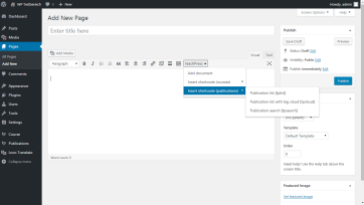
- Shortcodes for easy using in posts and pages
- Widget for displaying books in the sidebar
You will see teachPress in action? See here:
- CBIS: Publications (teachPress based publication list)
If you have more questions about teachPress or you have found a bug, then leave a comment or contact me.
Installation
- Download the plugin from wordpress.org.
- Extract all the files.
- Upload everything (keeping the directory structure) to your plugin directory.
- Activate the plugin through the ‘plugins’ menu in WordPress.
Configuration
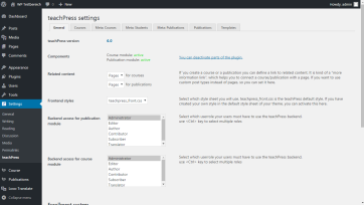
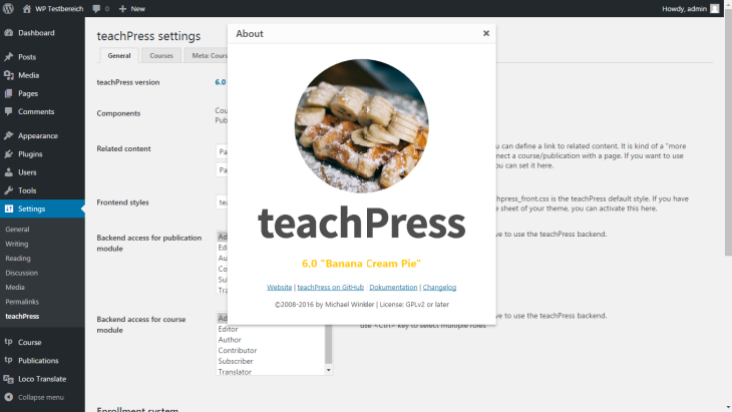
teachPress general settings
Under “Settings->teachpress” you will find the teachPress setup page with the areas: general, courses and publications.
Deactivating some plugin parts.
If you want to use only the course or the publication system of the plugin, so write the following in the wp-config.php of your WordPress installation:
For deactivating the course system:
define (‘TP_COURSE_SYSTEM’,'disable’);
For deactivating the publication system:
define (‘TP_PUBLICATION_SYSTEM’,'disable’);
Guides & Docs
Currently I work on some guides and documents, which explain the using of teachPress a bit. So, here are the first results:
- teachPress shortcode reference
- teachPress function reference
- Supported publication types
- How you can change the style
Translate the plugin
If you’re interested to help me to translate the plugin into other languages, then you can use the fantastic Codestyling Localization Plugin. You can also use poEdit. The usage of this tool is similar to translating WordPress with poEdit.
If you are finished, send the .po file to me and I’ll upload them to share it with the next release. Please send me with the file:
- A name / website I should place as credit note (if you like it)
- A confirmation that you are agree to license the translation under GPL.
Screenshots
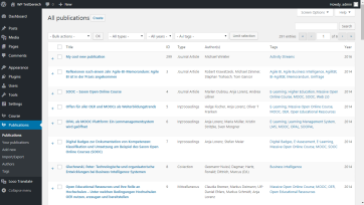
- Publication Overview
- Single Course Overview
- Add a course
- Course Overview
- Add a publication
- General Settings
- Course Settings


Pingback: Forget Moodle: Wordpress Can Power Your Educational Portal | CalendarScripts Blog
Pingback: Los 10 mejores plugins de WordPress para profesores - Escuela en la nube | Recursos para Infantil y Primaria
Pingback: Verwaltung für Seminar- und Veranstaltungen in Wordpress | espressoBytes
Hallo MIcha!
I am having trouble trying to add data to the publications list. I have tried both importing the data and manually adding one with the ‘add new’ page, but neither works. With importing, after I submit the data in the field, the information shows up as a citation under ‘imported applications.’ However, when I try to go to ‘publications,’ there are no entries. When I tried to manually add it, it confirms that the publication was added after I click ‘create,’ but then it also doesn’t show up in the publications list.
Any advice?
Hi,
I’ve tried to fix a problem with unvisible entries with version 4.0.2. I hope it solves your problem
Micha,
Wow, thank you for the five star support. A few of the ones I had tried to manually add show up now. However, I have a pretty long list of publications, so it would take a while to manually add each one. I tried importing again, and when I do, all of the IDs of the publications are 0 (on the page right after you submit the import) and then they do not show up in the publications list. We have some months typed out with names instead of numbers, but I went through and changed all of those. Do you know what could be causing this? Do you think I just missed one of the dates?
Thank you,
Ellie
It sounds like a problem with adding publications to the database but I have not really an idea why it’s happen. Could you send me some examples of the bibtex entries you couldn’t import? My email address is michael.mtrv@gmail.com
Micha,
Oops, I’m running into another problem. I deleted the three entries that had showed up from when I had added them before, and I tried to manually add another entry. I’m experiencing the same problem I was originally! So the yellow notification box towards the top of the page confirms that I added a new publication after I click ‘create,’ but then when I go to my list of publications, it says “no entries match your criteria.”
Thank you,
Ellie
Sounds mysterious. If you clicked on the “create” button, are the fields you have filled up for the publication clean again or not?
Erst mal vielen Dank für den Blick, der einen sehr guten Eindruck macht.
Eine Sache irritiert mich jedoch:
ist es irgendwie möglich auf den Seiten statt der id direkt den Bibtex-Key beim Referenzieren zu verwenden?
Das fände ich schon deutlich bequemer.. – zumal die Id quasi zufällig ist.
Insbesondere wenn man eine Publikation löscht und neu anlegt bekommt man immer eine neue ID!?
Luxus wäre natürlich, wenn (mit Warnung) beim Import einer neuen Publikation mit gleichem Schlüssel die alte einfach überschrieben würde:
dann kann man den Eintrag eintragen, wenn es bspw. für die Veröffentlichung angenommen wurde und wenn es dann tatsächlich veröffentlicht ist, Seitennummer, DOI, etc. klar sind, dann könnte man einfach den BibTeX-Eintrag neu importieren.
Einige Kleinigkeiten die mir aufgefallen sind, die aber nicht entscheidend sind, sondern nur unklar:
a) Bei einer Einzelreferenz ist das Format anders wie in der Publikationsliste (tpcloud), da hier die Jahreszahl direkt nach den Namen und (regulär) am Ende der Quelle kommt – also doppelt.. – komisch
b) Die Bibtex-Angaben sind syntaktisch nicht korrekt. Zumindest sah es bei meinem Versuch so aus:
@inproceedings{El-SharkawyDederichs+12a,
title = {From Feature Models to Decision Models and Back Again: An Analysis Based on Formal Transformations},
author = {Sascha El-Sharkawy and Stephan Dederichs and Klaus Schmid},
year = {2012},
date = {2012-01-01},
booktitle = {Proceedings of the 16th International Software Product Line Conference (SPLC ’12)},
pages = {126–135},
}
Man beachte die Leerzeile am Ende und das Komma davor.
c) Die Date-angabe wurde wohl automatisch generiert. – Und ist natürlich komisch, denn sie ist damit älter als die Veröffentlichung.
d) Der Verweis auf die Dokumente – wenn man bspw. Dokumente angibt, wäre es schön, wenn nur der Name, nicht die URL auftaucht, oder besser noch ein Beschreibungstext. (Ok, Kleinigkeit, wäre aber nützlich wenn man Veröffentlichung und Folien verlinken will.)
Schön wäre auch, wenn man das in dem BibTeX-Format mit angeben könnte.. – so dass man es entsprechend direkt mit importieren könnte..
Hallo Klaus,
Allerdings ist es geplant, dass sich die Publikationen einzeln über ihren BibTeX-Eintrag bearbeiten lassen.
es wäre möglich es so zu gestalten, dass man anstatt der ID den BibTeX-Key angeben kann, dauert aber etwas bis ich das eingebaut habe. Was den Import angeht, da bin ich eher kein Fan davon, zu versuchen die Einträge beim Massen-Import zu überschreiben, denn das ergibt eine herrliche Möglichkeit sich die komplette Datenbank zu zerschießen
zu a) Ja, das ist ein kleiner Fehler, den ich mit korrigieren werde.
zu b) In dem Eintrag fehlen die keywords, die üblicherweise in der letzten Zeile stehen, dann wäre es auch richtig formatiert. Allerdings müsste da zumindest keywords={} erscheinen…
zu c) Ja, date wird automatisch generiert und beim Import einer Publikation auf den 01.01. gesetzt, wenn nur year vorhanden ist. Insofern man da noch month und day als Zahl angibt sollte es aber richtig gesetzt werden oder man ändert es manuell.
zu d) Normalerweise wird das URL-Field so interpretiert, dass hinter der URL auch durch Komma und Leerzeichen getrennt ein Name vergeben werden kann, der dann angezeigt wird. Hier kann es aber evtl. beim Import passieren, dass die Zeilenumbrüche nicht so 100%ig erkannt werden.
Hallo Micha,
BibTex-Key wäre natürlich klasse
wg. Import: es wäre ja möglich, da einen Schalter zu machen:
kann überschrieben werden: ab dann ist der Nutzer verantwortlich..
Oder man erlaubt das nur für einzelne Einträge..
Die prinzipielle Frage ist halt was ist die primäre DB: die ist m.E. immer das Bib-Tex File ausserhalb, während das PlugIn halt davon ausgeht, dass jeder die Daten unbedingt in WP verwalten will — was ich nur tun würde, wenn es gar nicht anders geht..
Und wenn nicht überschrieben wird, gibt es in Bezug auf Nutzung von Bibtex-Keys noch die Probleme der Dubletten.
zu a-c: vielen Dank!
zu d: super, kannte ich nicht..
Viele Grüße
Klaus
So, I am kind of testing the code to the max… I loaded up my collection of 2300 bibtex references. In the Admin UI there is no way to delete all… Deleting 50 at a time is really going to take some time…
And with this many references i think the short codes are timing out.
Just found a minor bug: when importing bibtex references through the import box, and a keyword contains a space, it may be broken across lines in the bibtex file. If you import it that way, it will be seen as a different keyword from one on a single line, i.e.
cloud computing
vs.
cloud
computing
However, both will be displaced identically. This leads to the situation that in the word cloud the same keyword seems to exist twice, but with different papers.
The only solution seems to be to delete the corresponding papers and to reimport them as simply modifying the keywords does not seem to make much of a difference.
greetings, i have a problem with import/ add new entry. When I am tring to add a new publication, I get this notification: “Publication added Add New”. But nothing happens. website: “Sorry, no publications matched your criteria.” management: “Sorry, no entries matched your criteria.”. I checked the database, but it was empty. I re-installed the plug-in (I removed the table wp_teachpress_pub). no luck.
I tried to import publications but it didn’t work. could you help me?
Shall i drop all the tables of the plugin?
(wp version: 3.5.1, teachpress: 4.0.5)
Thank you
Hi, please try to remove all teachPress tables from your database and run the installer again (You will find an install link under Settings->teachpress, if the table were removed). If this doesn’t work, you can add the following line in your wp-config.php:
define(‘WP_DEBUG’, true);
This will be enable the displaying of error messages and could be helpful to see what’s going wrong if you add a publication.